NB Throughout the manual, text in red describes functions which you might never discover by merely using the program, as they are not documented elsewhere.
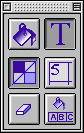
Click on a button for information about it.
|
|
||
| Text | ||
| Numbering | ||
| Auto Text Fill |
Fill button (rocker switch with text button)
When selected, clicks in grid fill or blank squares, according to the fill
pattern selected in "Preferences", or draw the bars in plain grids.
New for 2.7 When the Fill button is selected, the * key
will automatically generate a random grid design. It uses rotational
symmetry order 2, regardless of the current symmetry setting. Only works if
'prefill squares' was checked when you made the new grid. Back
to top
Text Button (rocker switch with fill button)
When selected, clicks in grid define the text insertion point, for typing
in text directly, in the direction shown by the little arrow. Double-clicking
will select a space, whereupon other functions are possible (see later). Back
to top
Symmetry Button (on/off button)
When selected, filling or blanking squares or bars will also fill/blank
others according to the symmetry mode selected (Options Menu). Back
to top
Numbering Button (on/off button)
When selected, the grid is automatically numbered. Back
to top
Clear Button (action button)
If the fill button is on: Click to completely clear the grid. Option-click
to revert to any prefill mode selected when you made the new grid.
If the text button is on: If no space is selected, blanks all
the letters in the grid, except for 'kept' words. To blank
these too, hold the command key when clicking. If a space is selected,
just blanks that space (even if 'kept'). Back to top
Auto Text Fill Button (action button)
If no space is selected, attempts to fill the entire grid with words
from the selected dictionary, according to the selected Autofill mode (Options
menu). Cancel the process by holding down the command key and typing a full
stop (period). It will stop after a brief moment. Existing
words will be blanked unless you 'keep' them.
If a space is selected, just fills that space with a random word
from the dictionary. Back to top